
Quick answer
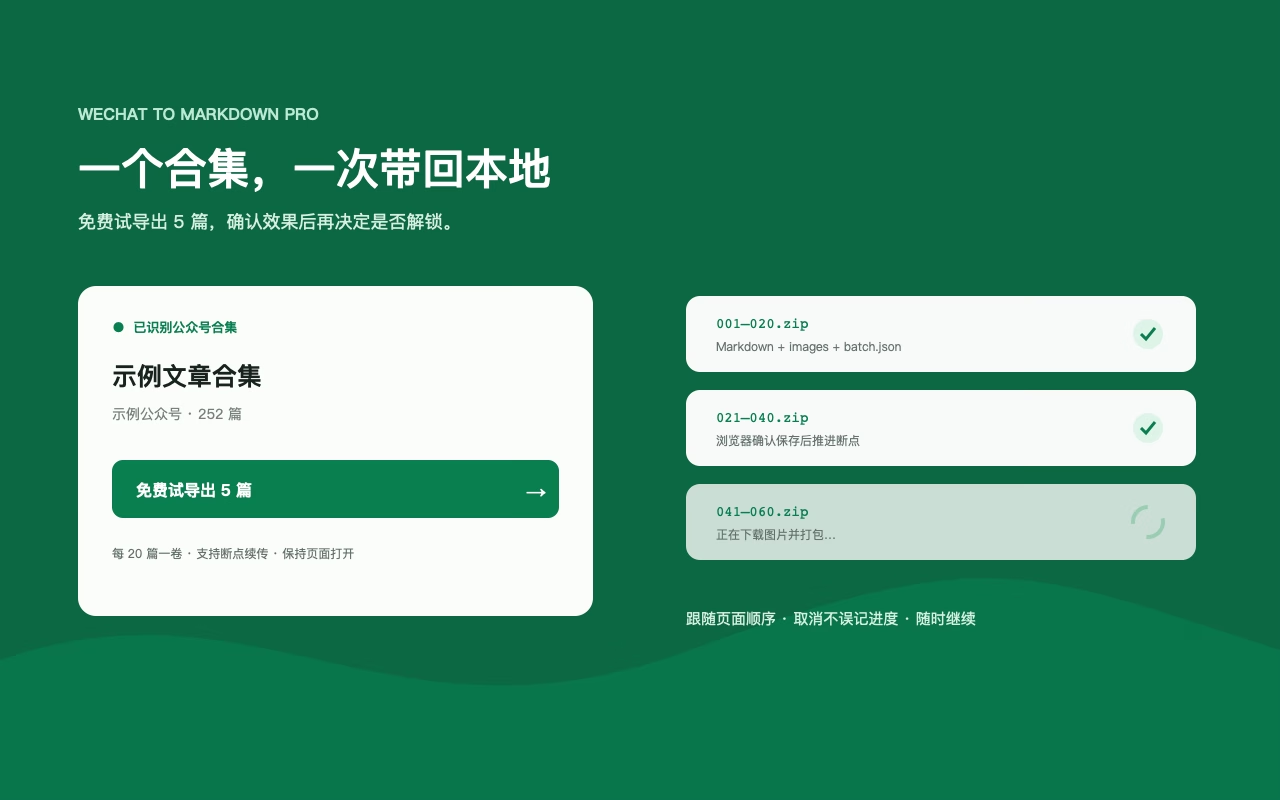
Open a public collection page (the URL contains /mp/appmsgalbum) and use the on-page Collection Archive card. The free trial runs once, up to 5 articles; the full plan saves Markdown and images in order with volume, resume and incremental support.
- The entry only exists on collection pages — you will not find it on a single-article page or in the toolbar popup. Open the
/mp/appmsgalbumpage first. - One ZIP volume is produced per 20 articles.
- Interrupted runs resume from the last completed volume, and later runs export newly added articles incrementally.
- Only public pages that open without login are processed; no cookies or session credentials are read.
Step 1: Open the public collection page, not a single article
Collection URLs usually look like:
You can reach that page in any of these ways:
- From a single article
Open an article that belongs to the collection and refresh. If the panel shows “Included in collection”, click the collection name to open it in a new tab.
- From the WeChat original link
Open the collection in WeChat, then use “Open in browser” or paste the link into Chrome. Confirm the address contains
/mp/appmsgalbum. - Confirm it is publicly readable
The extension only reads the public list your browser can already open. It does not sign into WeChat or reuse cookies.
/s?… or /s/…, you are on a single article and can only save that one page. Batch collection download requires /mp/appmsgalbum.Step 2: Follow these five actions on the collection page
- Confirm the extension is enabled, then refresh
Already-open tabs are not reinjected after install or update. Refresh the collection page, then look for the Collection Archive card.
- Confirm ascending or descending order
The order shown on the page becomes the download order when you start.
- Click the primary on-page button
Unlicensed installs usually show “Free trial · N articles”. Licensed installs show “Download new articles”. Do not look for collection download in the toolbar popup—it only points you back to the page controls.
- Choose a save directory the first time
Pick a local folder. Later volumes for the same collection reuse it. Cancelling the picker does not consume the free trial.
- Wait for each volume to finish
The full plan packs up to 20 articles per ZIP. Progress advances only after the browser confirms a successful save, so you can resume after interruptions.
What each button does
- Free trial · N articles: One successful trial per unlicensed install, up to 5 articles, to verify text and images.
- Download new articles: Full-plan primary action. The first run archives the whole collection; later runs default to newly added articles.
- Unlock remaining N / Unlock full version: Shown after the trial is used. Purchase or activate a code in the extension, then continue.
- Add to library: Full-plan action that writes collection articles into the local library for later filtering and Obsidian export.
- Re-export all: Secondary full-plan action. It clears local progress for the current sort direction without deleting saved files.
Installed but cannot find the entry?
- The current tab is a collection page (URL contains
/mp/appmsgalbum), not a single article - You refreshed the collection page after install or update
- WeChat to Markdown is enabled on the extensions page
- You installed through the official download page from the Chrome Web Store or Microsoft Edge Add-ons. The public GitHub community source does not include full collection archiving
- The collection itself opens publicly without login
Interruptions, cancellation and later archives
- Interruption or failure: Keep completed volumes and resume from unfinished work.
- Cancellation: Stop without marking the current volume complete; the free trial is not consumed.
- Next archive: Export newly added articles by default.
- Full re-export: Explicitly reset local progress for the current sort direction; saved files stay.
Resume and incremental history live in the current browser profile. Uninstalling, clearing browser data or changing profiles can remove that history.
Try before buying
Each unlicensed installation can try one successful collection export of up to 5 articles. The trial is used only after a confirmed save and does not write full incremental history. The full plan supports complete volumes, resume, incremental updates and adding collections to the local library. See current pricing and entitlements.
Access and usage boundaries
- No bypassing login, payment, access controls or platform restrictions.
- Reading collection articles starts only after your explicit action and does not grant content rights.
- Compatibility with all future WeChat layouts is not guaranteed.
- Batch export does not change copyright or usage permissions.